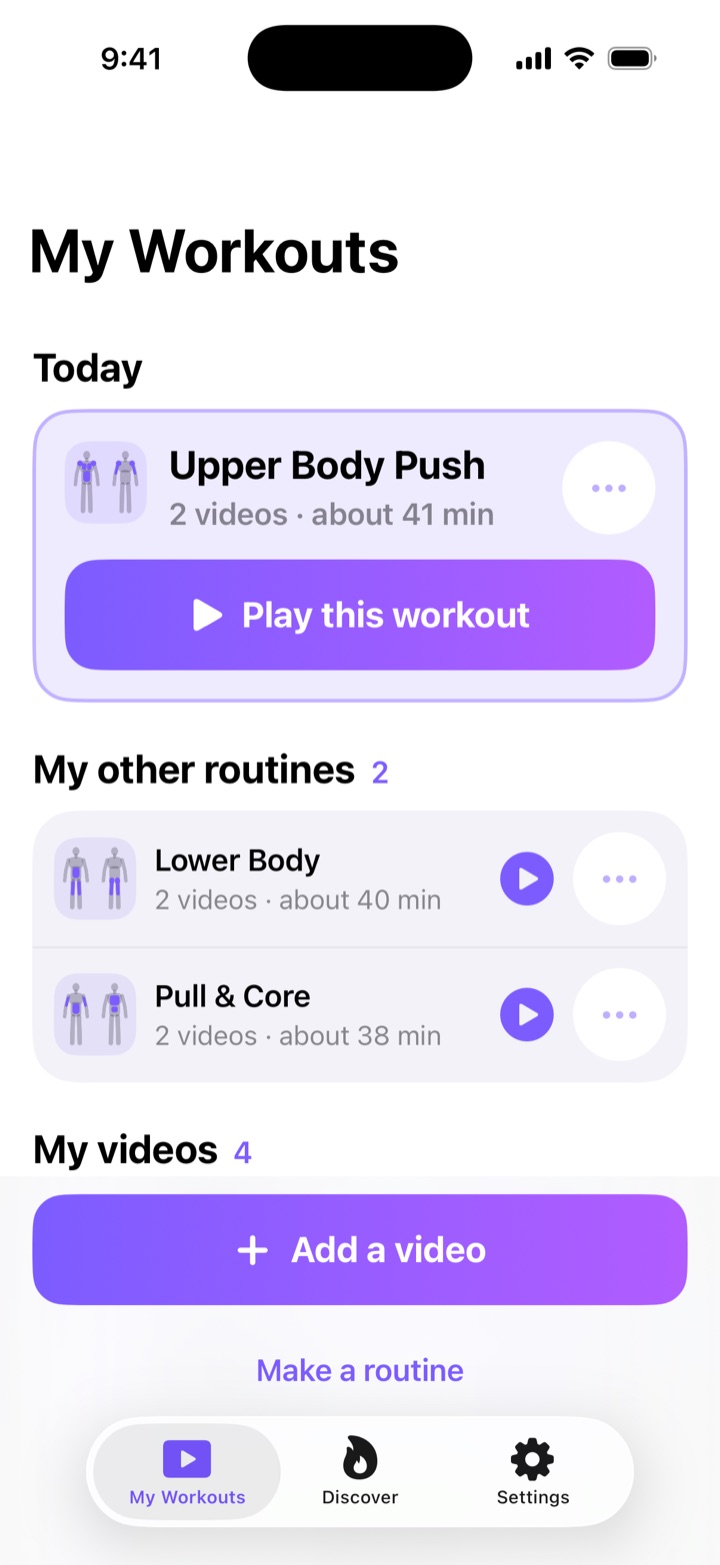
SIMPLE
Just play my workouts
- Big buttons, no numbers, nothing to get wrong
- Tap Play, follow along, replay whenever you like
- Made for anyone — including your parents
PRIVATE BETA · iOS & ANDROID
7-DAY FREE TRIAL
You save workout reels and never do them. ReelGainz turns them into workouts you can follow: paste a public Instagram reel, type its moves once, and train with the reel right there on screen.
One email when your invite is ready. No spam, unsubscribe any time. Privacy
7 days free, then US$2.99 a month or US$24.99 a year; the app store shows the price in your currency before you buy. ReelGainz Pro renews automatically at the end of each period until you cancel it in your App Store or Google Play subscription settings. Cancel at least 24 hours before your free trial ends and you pay nothing. Your library holds up to 500 videos you add, on any plan — the starter workouts don't count toward that. Plan details
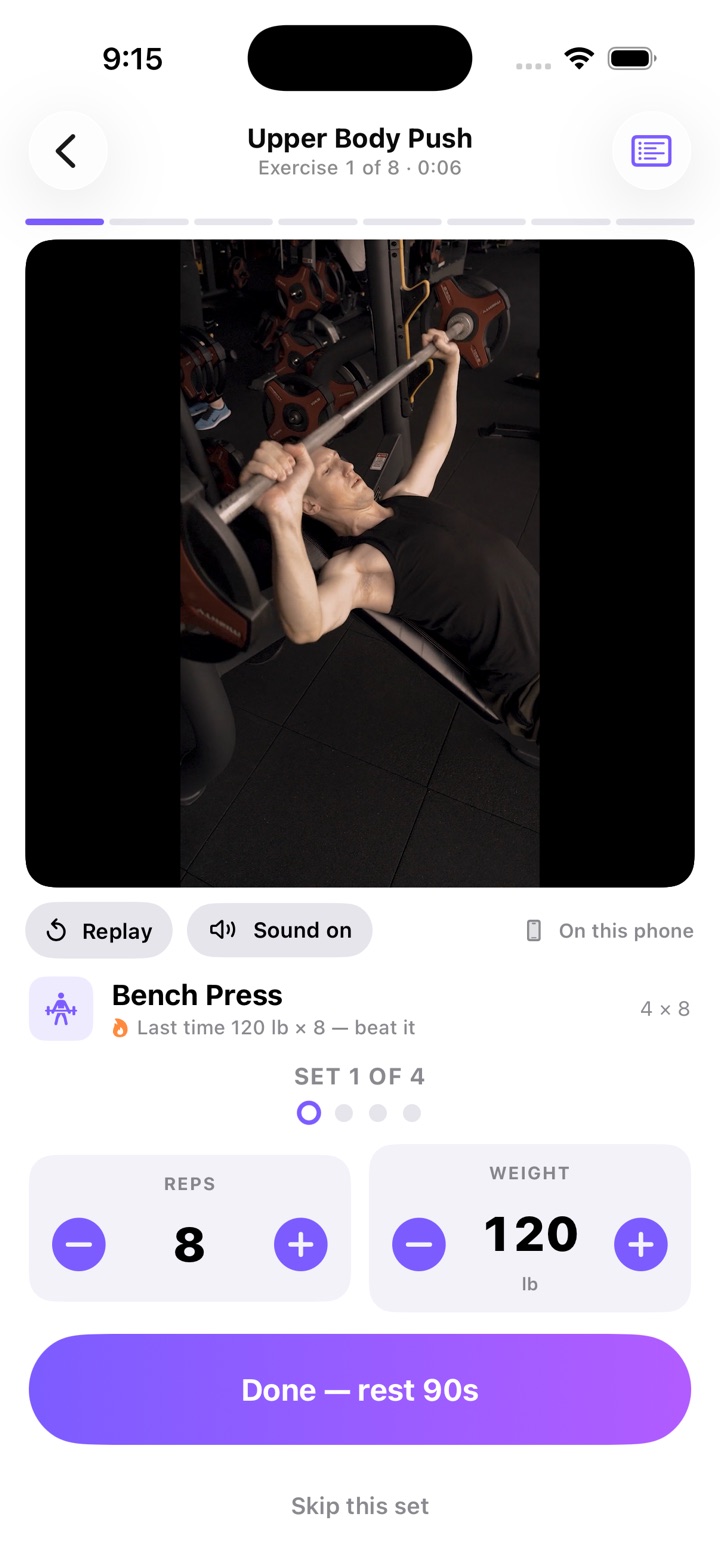
A workout built on a video from the phone. A reel plays in Instagram's own player instead, with the creator's name at the top.
Share a public Instagram workout reel straight to ReelGainz, or paste its link. That's the whole job.
Type the exercises, sets and reps once, or pick them from a built-in list of 30 common moves. Nothing is read from the post, so the numbers are yours. Simple mode skips this step.
Tap Play on the reel and it plays once. Tap Replay whenever you want it again. In Advanced mode you log each set with one tap, with a rest timer between sets.
TWO MODES
The first thing ReelGainz asks is how you want to use it. Simple just plays your workouts. Advanced runs each one as a set-by-set session and keeps score.
SIMPLE
ADVANCED
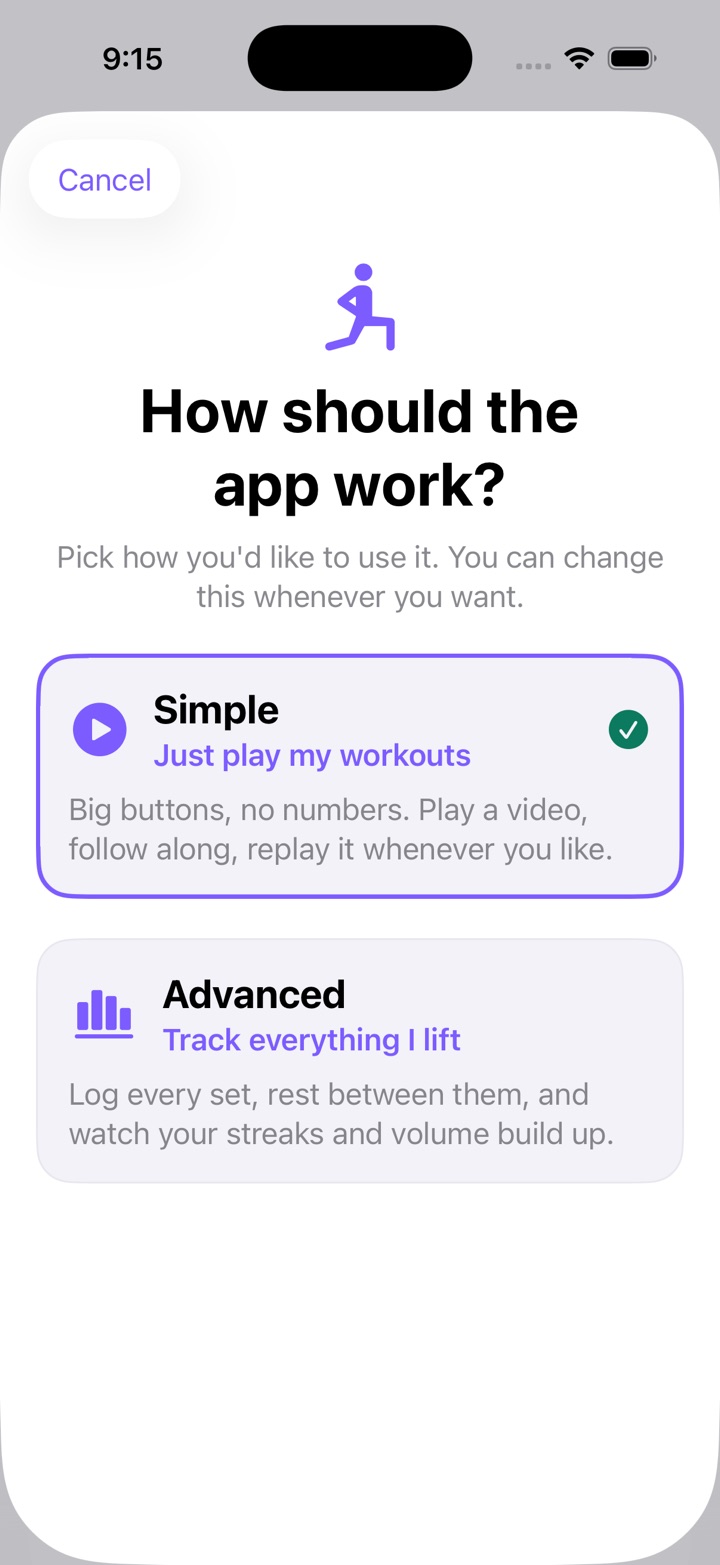
Both modes share one library, so you can switch in Settings whenever you like and every video and routine comes with you. What Simple doesn't keep is numbers: it logs no sets, so it has no history, stats, streak or personal records to hand over. If you want those from day one, start in Advanced.
Same importer, different endings. Both ask for a name and what it works. Advanced asks one more question so it can log the workout set by set.
Simple 2 QUESTIONS
Add a workout
Paste the link to an Instagram workout video.
instagram.com/reel/…
Add it
Step 1 of 3 · Name
What should we call it?
Give it a name you'll recognize later.
Full-Body Functional
Next
Step 2 of 3 · Category
What kind of workout?
Save it
That's it. It's in your workouts, ready to play.
Play it now
Already done ✓Simple stops here. No sets, no reps,
nothing to get wrong. Tap Play and follow along.
Advanced 3 QUESTIONS + TRACKING
Add a workout
Paste the link to an Instagram workout video.
instagram.com/reel/…
Add it
Step 1 of 3 · Name
What should we call it?
Full-Body Functional
Next
Save and finish
Step 2 of 3 · Category
What kind of workout?
Next
Skip this
Step 3 of 3 · Moves
Do these look right?
From the library
Type my own
Save workout
3 moves · ready to log set by set.
Tagged Full Body, Core.
Start this workout
Both start the same way: paste the link to a public Instagram reel.
THE SESSION · ADVANCED MODE
A logger built for sweaty thumbs: one tap per set, a rest timer that runs itself, and a finish that tells you exactly what you did — and next time, last time's numbers are right there to beat. The reel sits above it in Instagram's own player: tap its Play and it plays once, and Replay under it loads it again whenever you want another look. Simple mode skips the logger and just plays your videos.
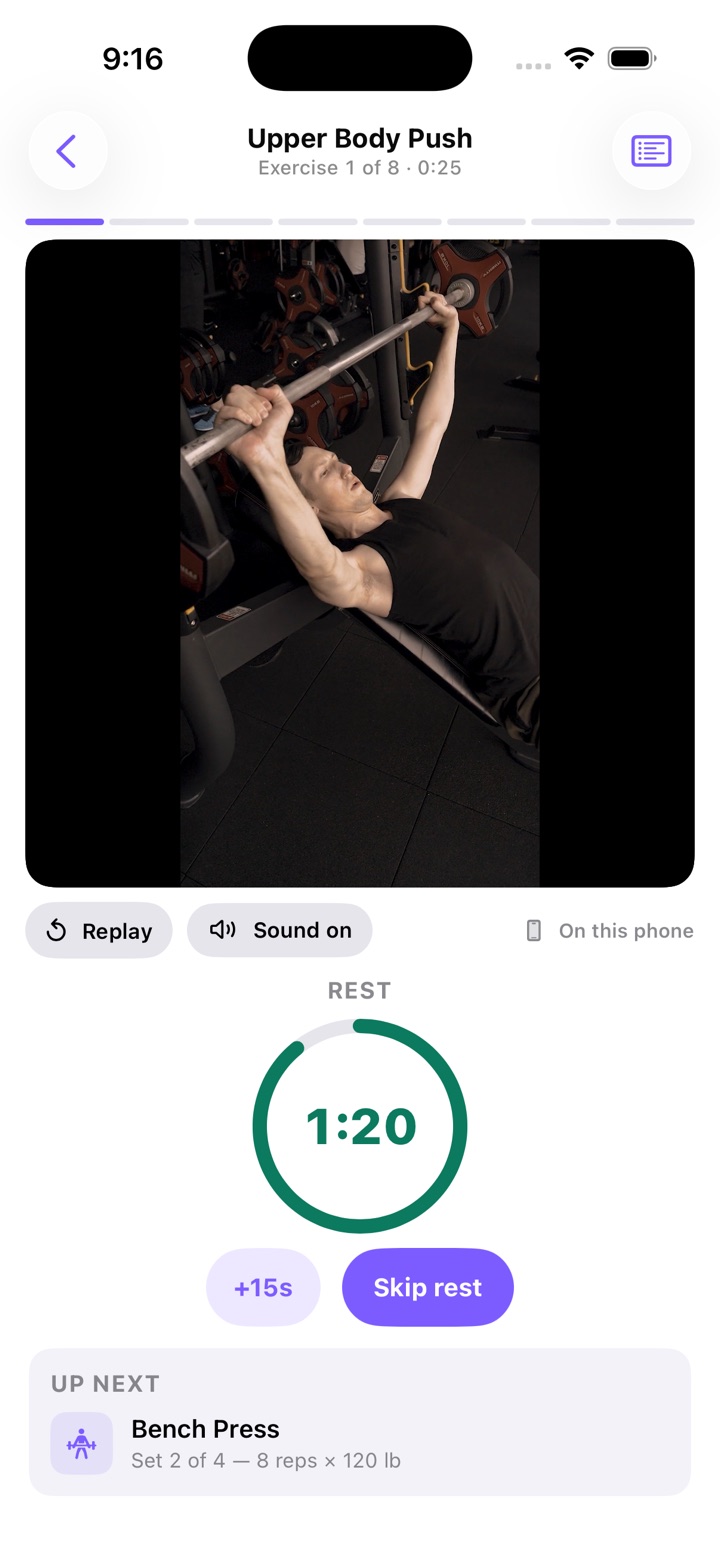
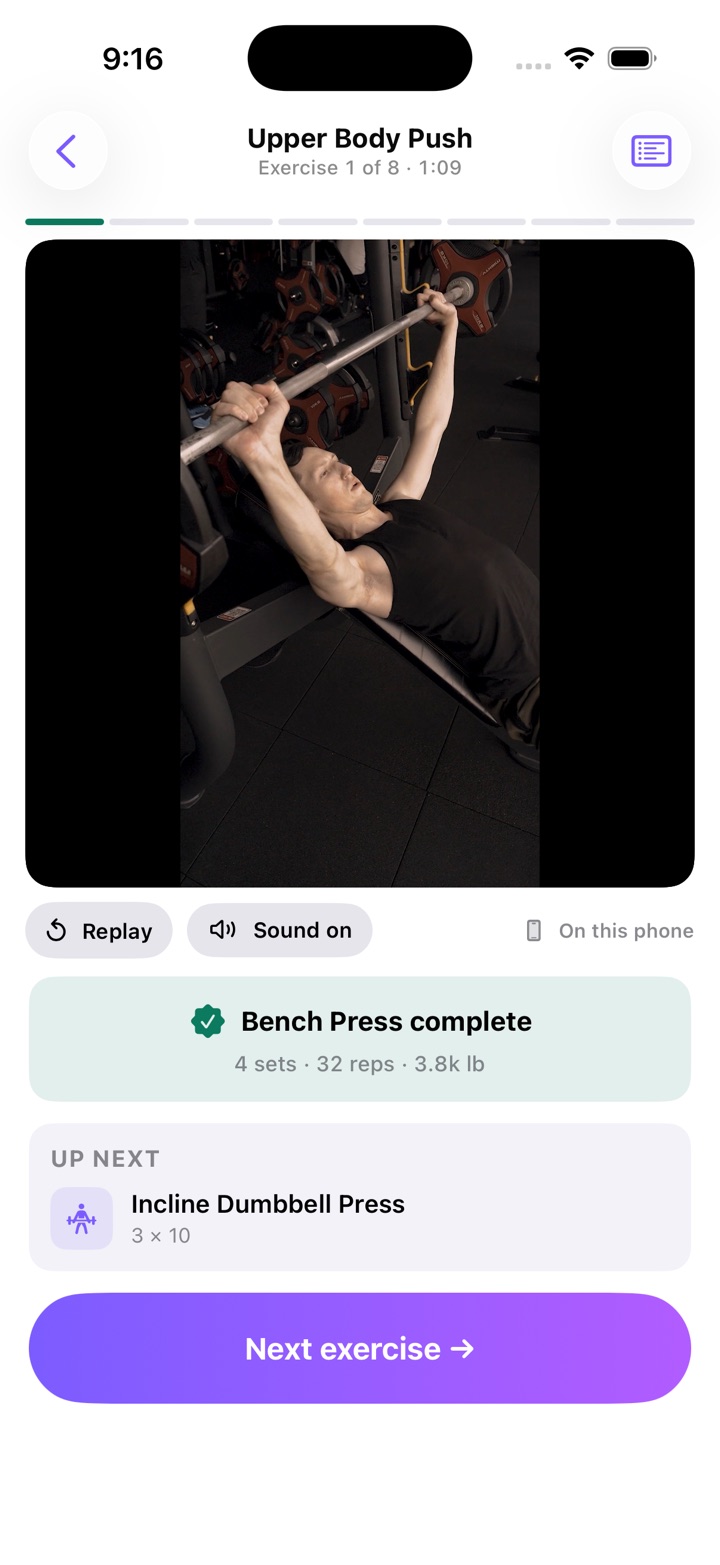
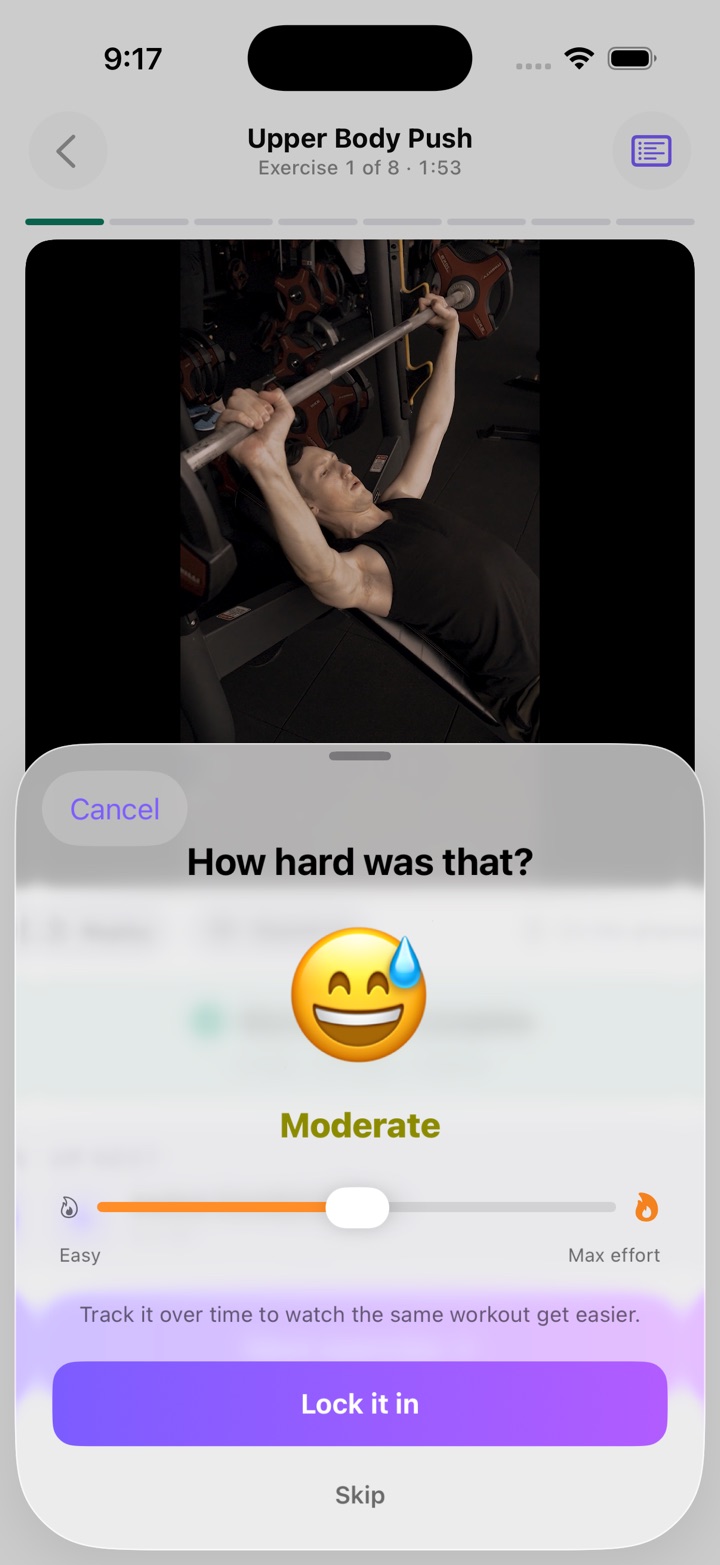
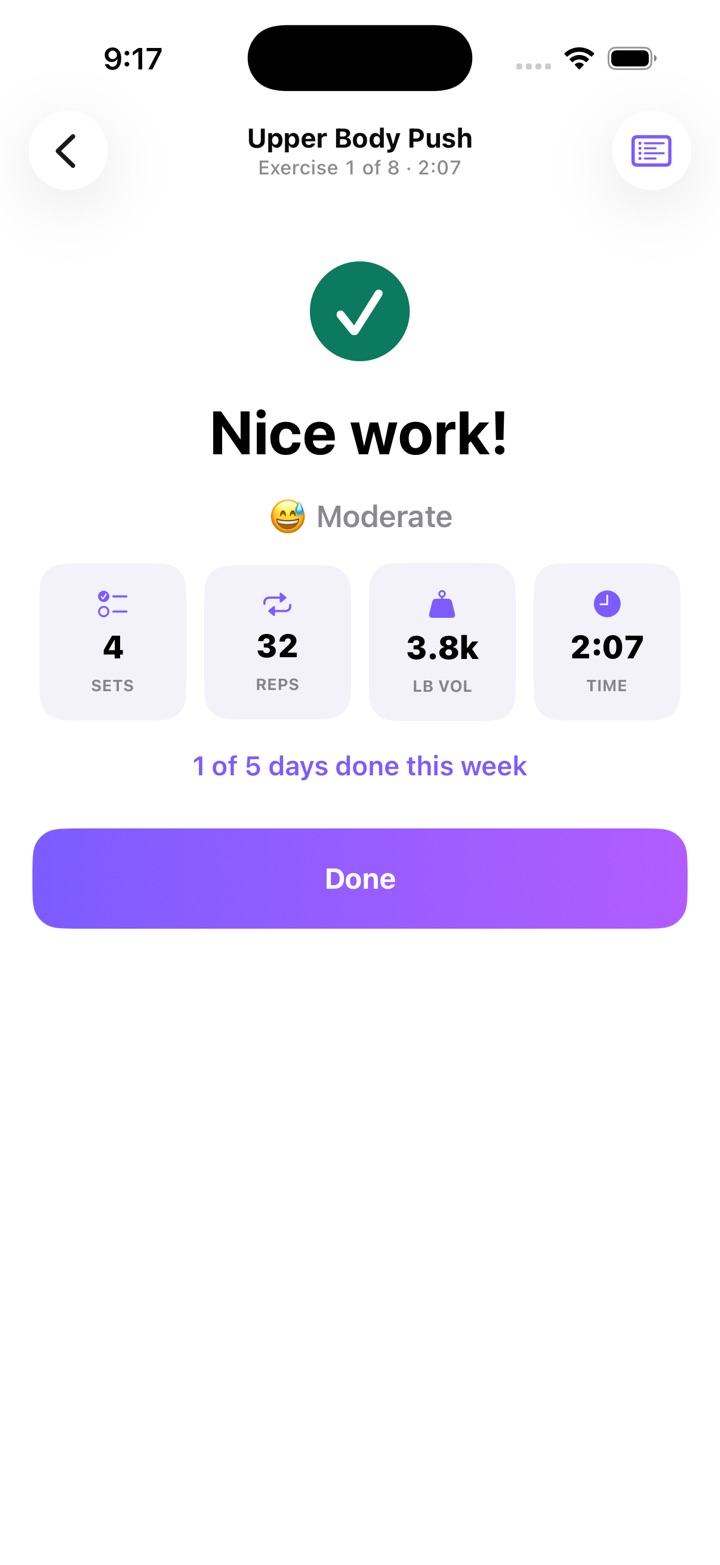
These screens show a workout built on a video from the phone. A reel plays in Instagram's own player instead, with the creator's name at the top.
A LOOK AROUND · ADVANCED MODE
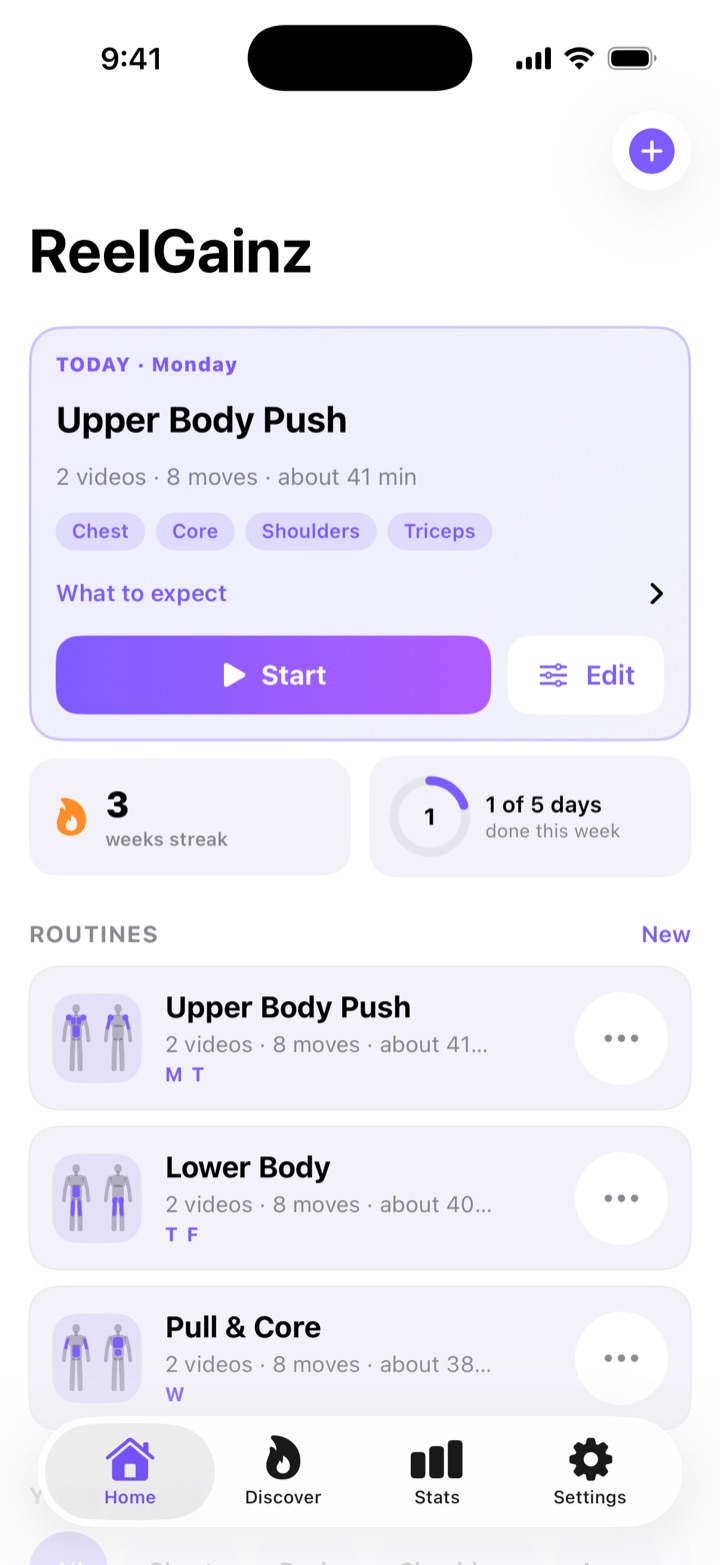
Today first, everything else after.
The routine scheduled for today sits at the top with what it works and one Start button. Under it, your streak — counted in weeks you hit your plan, so rest days never read as failure — and how many days you've done this week. Every routine shows a body map of the areas it trains.
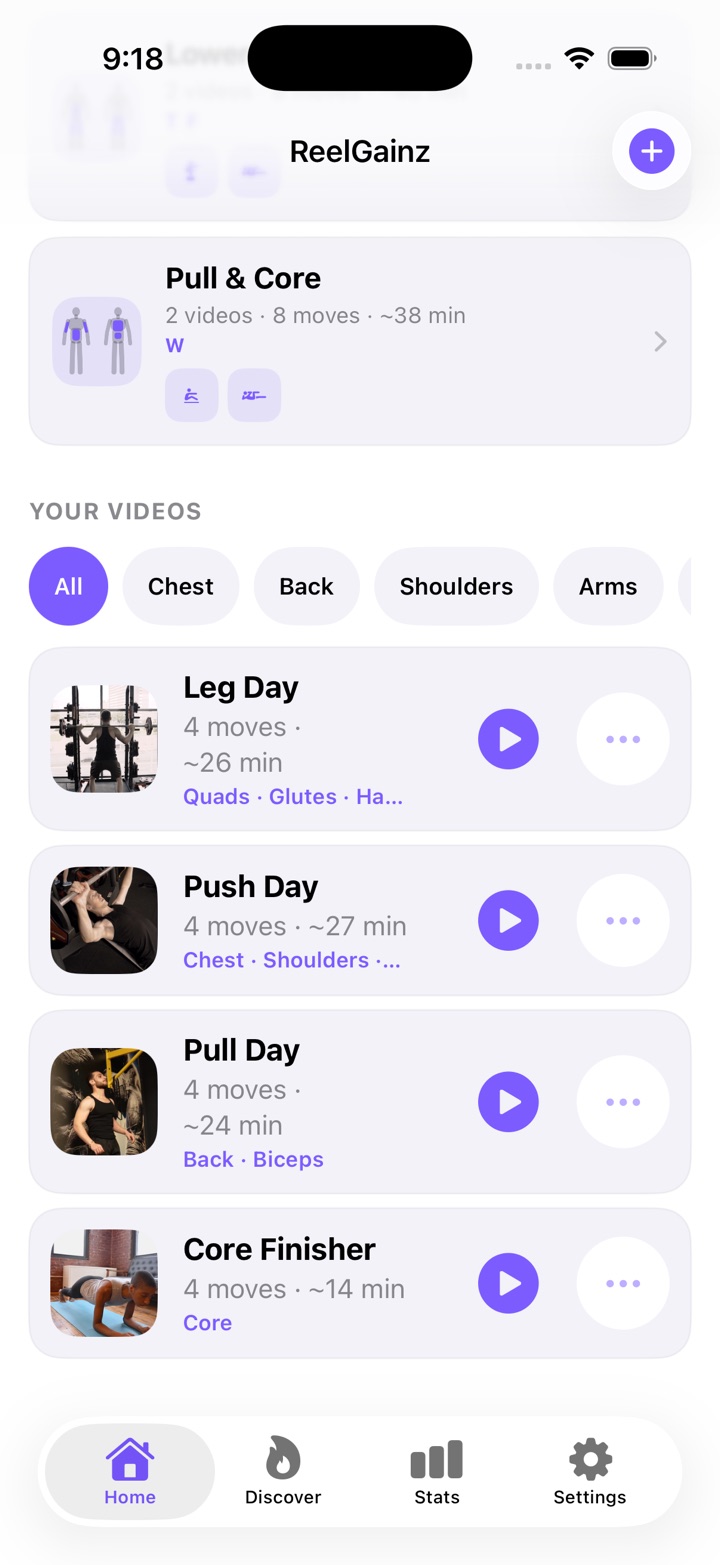
Further down Home: every video you've added, ready to play.
Each video shows how many moves it has, how long it takes and what it works. Filter by body area — Chest, Back, Legs, Core and the rest — and tap Play to train it on its own, or add it to a routine from its ⋯ menu. The pictures here are frames from videos added from the phone; an Instagram reel gets a plain ReelGainz tile instead, because the app never fetches anything from a post.
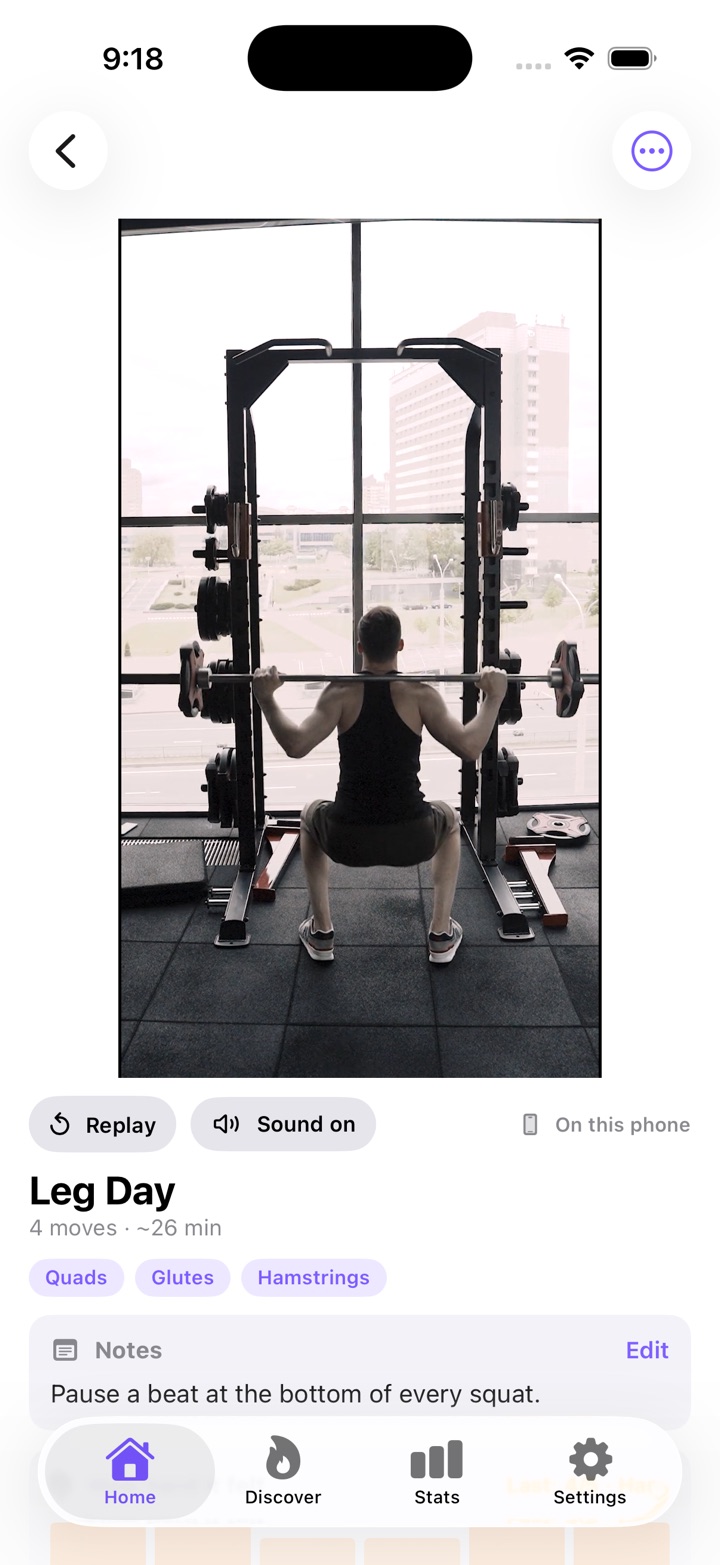
The video, with your moves under it.
The video sits at the top — for a reel, Instagram's own player, with Replay and Open in Instagram under it. Below it: the areas it works, your own notes, how hard it felt each time you did it, and your moves — sets, reps and a figure for each. Start it, or add it to a routine.
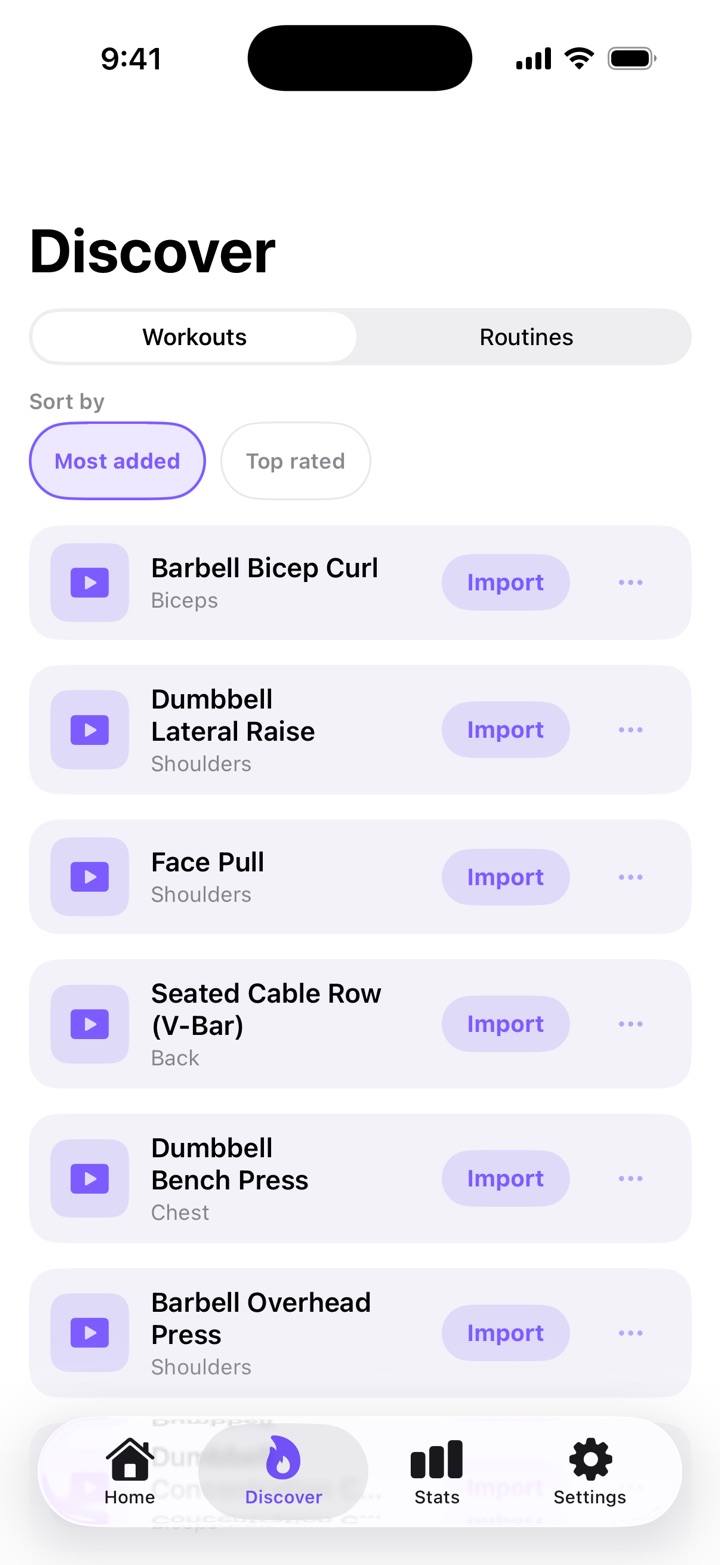
Workouts to start from, and routines built out of them.
Every row is the same: the name, the area it works, and one button to keep it. The Workouts and Routines switch changes what you're looking at; under it, Sort by puts the most added or the best rated first. A routine comes with its videos. Anything you already have moves into a group at the top, so the list is only what's new to you. Simple mode shows the same list in its own words, with an Add button on each row.
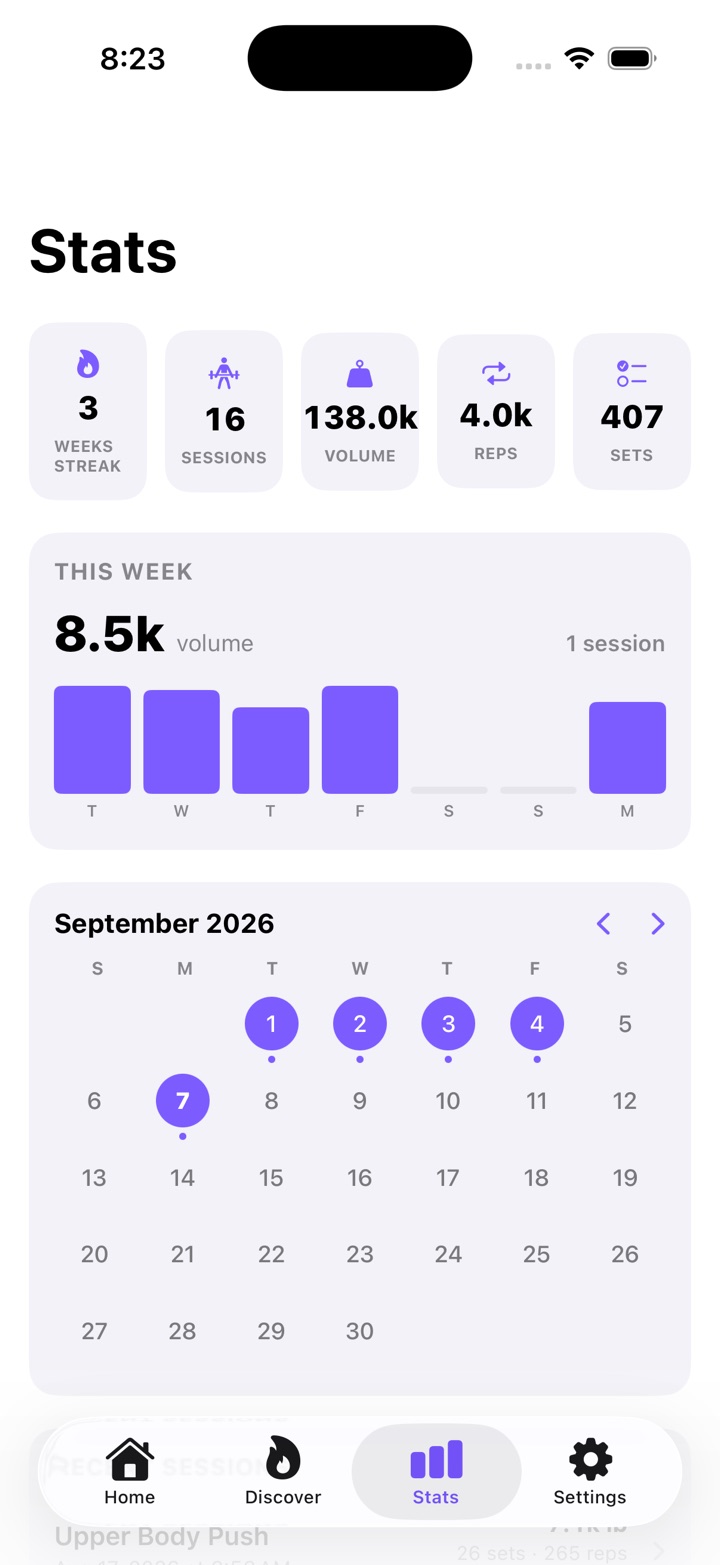
Proof it's working.
Weekly streak, sessions, total volume and reps, this week broken out day by day, and a calendar that fills in as you train, with your recent sessions and personal records further down. Nothing to enter by hand — every session you log lands here on its own. Simple mode has no Stats tab: it keeps no numbers.
Every capture on this page is from the iPhone app, taken in September 2026. The workout videos in them are stock clips added from the phone — that is why they say On this phone and have a Sound on button. An Instagram reel looks different: it plays in Instagram's own player, with the creator's name at the top; you tap its Play to start it, it plays once, and Replay and Open in Instagram sit under it.
Simple mode just plays your workouts — big buttons, no numbers. Advanced tracks every set, rep and weight, in kilograms or pounds.
Discover starts with a library of workouts we picked, their moves already written, and shows the most-added and top-rated reels from other members as the community grows. Adding one is a tap.
In Advanced mode the streak counts weeks you met your plan — not days — so your program's rest days never read as failure.
Add a video from your phone — up to 3 minutes and 400 MB — and train from it the same way. It starts on its own, muted and looping; tap Sound on to hear it. It stays on your phone and is never uploaded.
No reel is copied or re-hosted
Reels play through Instagram's own embed, from Instagram. ReelGainz never reads a post: not its caption, not its video, and it asks Meta nothing about it. The video always stays where the creator put it, and the embed carries their name and a tap through to their profile. That also means reels need a connection, because Instagram serves them; your workouts live on your phone, and videos from your phone play anywhere.
Train sensibly
ReelGainz is not medical advice, and nobody checks whether a workout is safe for you. Talk to a doctor before starting, train at your own risk, and stop if you feel pain, dizziness or shortness of breath. Read this before you start.
ReelGainz is in private beta on iOS and Android — join the list and we'll invite you.
By joining you agree we can email you about the beta. Nothing else, ever. How we handle your email
Once it's on sale, ReelGainz Pro is US$2.99 a month or US$24.99 a year, with a 7-day free trial — there's no free tier and no ads. It runs on iPhone with iOS 17 or later and on Android 8.0 or later, and you need to be 18 or older (21 in Puerto Rico) to use it. The plan
Your first 7 days are free, then it's US$2.99 a month or US$24.99 a year. ReelGainz Pro renews automatically at the end of each period until you cancel it in your App Store or Google Play subscription settings. Cancel at least 24 hours before your free trial ends and you pay nothing.
There's no free tier and no ads — one subscription, with a 7-day free trial. Your library holds up to 500 videos you add, on any plan — the starter workouts don't count toward that. Subscriptions are billed by Apple or Google; the app store shows the price in your currency before you buy, and decides who gets the free week — one trial per Apple ID or Google account. ReelGainz runs on iPhone with iOS 17 or later and on Android 8.0 or later. The plan, in full · Privacy